
Pugh Matrix Template for Excel and Google Sheets — Complete 5-Workbook Suite
Original price was: $49.99.$19.99Current price is: $19.99.
Five Pugh matrix workbooks that cover every version of the decision: quick plus/same/minus screening, weighted scoring, three-round convergence, five-person team consensus, and a seven-tab professional suite with pairwise weighting and risk-adjusted ranking.
Under $10 a workbook. Every one includes a Read Me and a fully worked example.
✔ 5 Excel workbooks, 36 sheets, 3,800+ live formulas ✔ No macros, nothing to enable ✔ 20–25 criteria, up to 10 concepts, up to 5 evaluators ✔ Instant .xlsx download
Description
One Pugh matrix template for Excel is never enough
Most concept decisions start simply. You have six ideas, one incumbent process, and half a
whiteboard. So a plain plus/same/minus grid is exactly right. Then the decision grows. Someone
points out that cost matters more than colour, so you need weights. A second round produces a
hybrid nobody proposed on day one. Five people have to agree. Finally, a gate reviewer asks
whether anyone considered the risk. This suite gives you a Pugh matrix template for Excel at
every one of those stages, in one consistent layout, so you never rebuild a grid mid-decision.
The method itself comes from Stuart Pugh, and it works because it refuses to pretend. You
do not score concepts out of ten against an imaginary ideal. You choose one reference concept,
called the datum, and ask a single question per criterion: better, same, or worse? That is why
the Pugh matrix is still a core Six Sigma and DFSS tool decades later, and it is the discipline
every workbook here preserves.
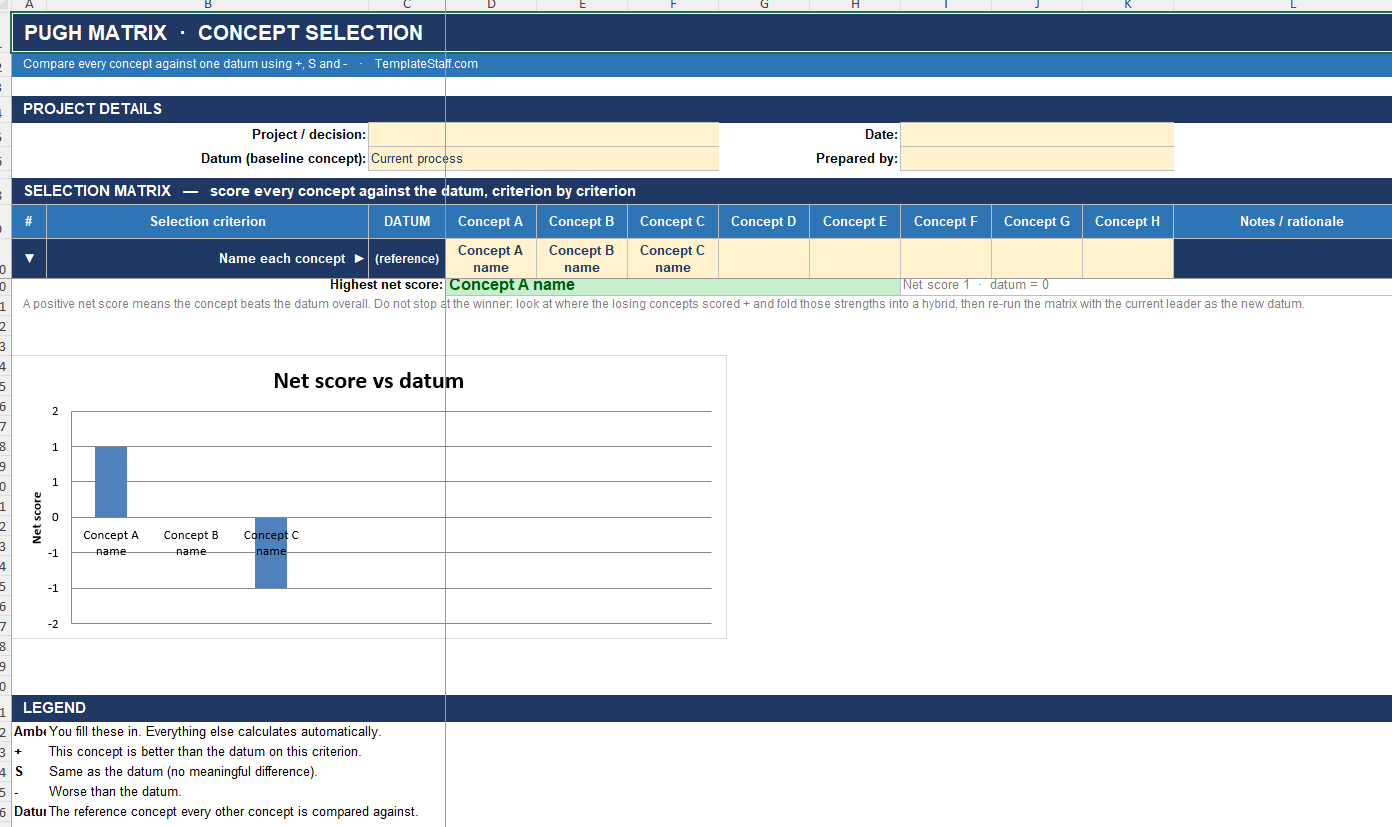
Workbook 1 — the classic Pugh matrix template for Excel
This is the workbook most people picture when they search for a Pugh matrix template. Twenty selection criteria down the side, eight concepts across the top, and drop-down
plus/same/minus scoring against your datum. The workbook counts every plus, S and minus, produces
a net score, ranks the concepts and draws the chart. A completeness counter shows what nobody has
scored yet. A rationale column sits beside every criterion, because that is the part you get asked
about three weeks later. Unused concept columns drop out of the totals automatically. Worked
example: a warehouse pick-and-pack redesign across fourteen criteria and four concepts.
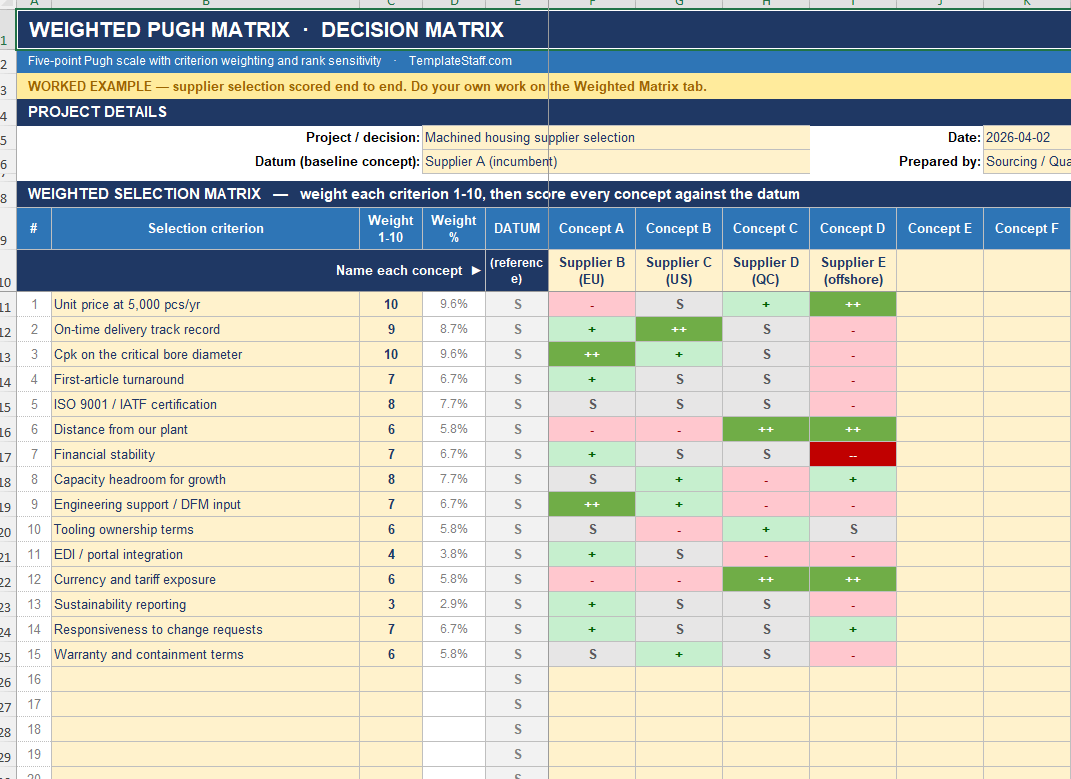
Workbook 2 — the weighted Pugh matrix template for Excel
Cost and regulatory compliance rarely carry the same weight as cabinet colour. So this
workbook adds 1-to-10 criterion weights, a five-point scale, live weight-share percentages and a
percentage-of-achievable score. Then it does something no other weighted decision matrix template
does. It scores your matrix a second time with every weight set equal, compares the two rankings,
and labels each concept Stable or Weight-driven. If your winner only won because
of how you set the weights, you find out before the gate review rather than during it. Worked
example: a machined-housing supplier selection across ten criteria.
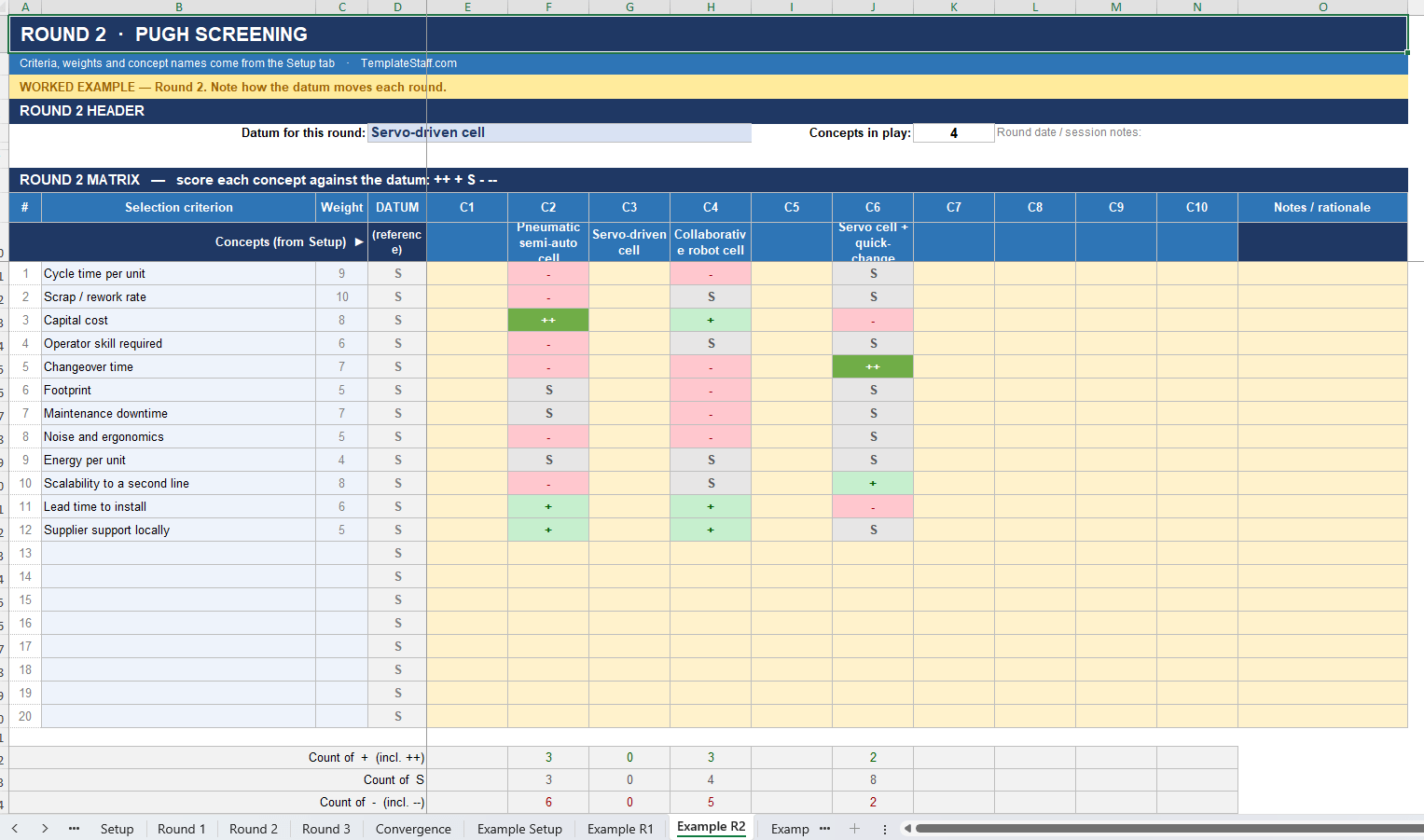
Workbook 3 — Multi-round Pugh matrix, with convergence tracking
Pugh built a second pass into the method, and most teams skip it. That is where the value
hides, because promoting the round-one winner to datum sharpens every remaining comparison. This
workbook runs three rounds from one shared setup. You flag which concepts carry forward, nominate
each round’s datum, and record a Keep, Drop or Merge decision against every concept. Merged
concepts become hybrids, so the combination nobody proposed at the start can still win by round
three. A convergence tab and chart show the whole narrowing path on one screen, which is the
audit trail a DMAIC tollgate actually asks for. Worked example: assembly-cell automation,
narrowing across three rounds.
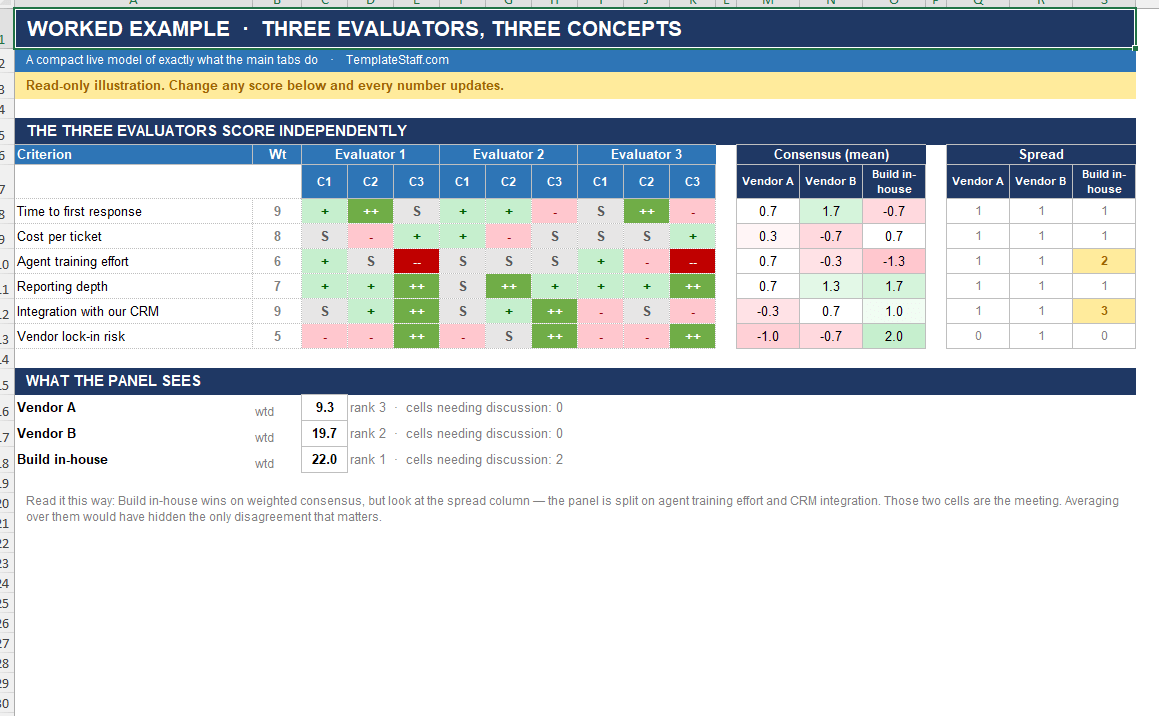
Workbook 4 — Team Pugh matrix, with agreement mapping
Group scoring fails predictably. Someone speaks first, the room anchors, and the real
disagreement never surfaces until implementation. So this workbook gives each of five evaluators a
private scoring tab. Only afterwards does it build the weighted consensus and the team ranking.
More usefully, the Agreement tab compares every single cell across all five evaluators and colours
it by spread: green where the panel agrees, amber at a two-point gap, red at three or more. Each
concept gets a count of cells needing discussion, so a facilitator walks into the workshop knowing
exactly which eight cells deserve the hour. A panel agreement index summarises the matrix and
translates itself into plain English for the report.
Workbook 5 — Pugh Matrix Pro, the seven-tab suite
This is the full workflow, left to right, with each stage feeding the next. Setup captures the
decision statement. A pairwise comparison grid asks which of two criteria matters more, 105 times,
and derives your weights from the answers rather than from whoever spoke last. A Pugh screening
pass cuts ten concepts to a shortlist. Absolute 1-to-5 scoring then ranks only the survivors. A
six-factor risk screen covers technical, schedule, budget, skills, regulatory and supply-chain
risk. The Dashboard discounts each weighted score by its risk index, re-ranks, and states
explicitly when the risk adjustment changed the winner. Finally, a signable Decision Record makes
the whole thing filable. Worked example: a soil remediation choice where in-situ chemical
oxidation leads on merit at 166 but loses to an ex-situ biopile once risk is applied.
Every Pugh matrix template for Excel, in one download
- Five Microsoft Excel workbooks (.xlsx), unlocked and fully editable
- One consistent layout, so moving between workbooks costs you nothing
- 36 worksheets and more than 3,800 live formulas, all recalculated and verified
- Five worked examples from real domains: warehouse, supplier, automation, build-versus-buy, remediation
- A Read Me tab in every workbook explaining the method, not just the buttons
- Drop-down validation, conditional formatting and landscape print setup throughout
- No macros, so nothing needs enabling and nothing needs IT approval
Who buys this
This Pugh matrix template for Excel suits Green Belts and Black Belts in the Improve phase. DFSS and design teams working a concept
funnel. Sourcing and procurement committees running structured supplier selection. Facilitators
who run selection workshops for a living. Consultants who have to defend a recommendation in
writing. If you have ever rebuilt the same grid three times in one project, this suite pays for
itself on the first decision.
Specification
- Format: 5 × Microsoft Excel (.xlsx) · unlocked · no macros
- Every Pugh matrix template for Excel in the set is verified formula by formula
- Capacity: up to 25 criteria, 10 concepts, 3 rounds and 5 evaluators depending on workbook
- Opens in Excel 2016 and later, Microsoft 365, LibreOffice Calc and Google Sheets
- Instant download · single-user commercial licence · free updates
New to the method? Read the full guide and grab the free starter file on our
Pugh matrix page first, then come back for the full
Pugh matrix template for Excel suite when you need weighting, rounds, a team or a risk screen.
Related products
-
Sale!

Attribute Sigma Calculator for Excel
Original price was: $12.00.$9.00Current price is: $9.00. Add to cart -
Sale!

350 Project Management Templates Bundle — Mega Excel Templates Bundle with Visual Dashboards
Original price was: $49.99.$29.00Current price is: $29.00. Add to cart -
Sale!
DFA/DFM Analysis Template for Excel
Original price was: $29.00.$19.00Current price is: $19.00. Add to cart -
Sale!
Value Stream Map Excel Template — Complete VSM Toolkit
Original price was: $39.00.$29.00Current price is: $29.00. Add to cart