
Supplier Evaluation Scorecard Bundle — 10 Excel Templates with Dashboards
Original price was: $69.99.$39.99Current price is: $39.99.
A complete supplier evaluation scorecard system in ten Excel workbooks. Score suppliers on selection, performance, risk, quality, ESG, audit conformity, total cost of ownership, IT and SaaS, and contractor safety — then roll every result into one portfolio dashboard.
430 pre-written criteria. Weighted scoring you control. Live charts in every file. No macros, no add-ins. Works in Excel, Google Sheets and LibreOffice.
Description
A supplier evaluation scorecard for every decision you actually make
Most supplier scorecards are one spreadsheet with a dozen rows and a total at the bottom. That works until you realise the questions you ask before awarding a contract are nothing like the questions you ask at the quarterly review, which are nothing like the questions you ask when a supplier fails an audit.
This bundle gives you ten. Each supplier evaluation scorecard covers one decision properly, and the tenth pulls them all together so you can see your whole supplier base at once.
What is in the bundle
| # | Workbook | Use it when |
|---|---|---|
| 01 | Supplier Selection & RFQ Decision Matrix | Comparing bidders before you award |
| 02 | Supplier Performance Scorecard | Monthly and quarterly business reviews |
| 03 | Supplier Risk & Business Continuity | Annual review of every critical supplier |
| 04 | Supplier Quality & Non-Conformance | PPM, corrective actions, process capability |
| 05 | Supplier ESG & Ethical Sourcing | Sustainability reporting and due diligence |
| 06 | Supplier Audit & Compliance Checklist | On-site and virtual second-party audits |
| 07 | Total Cost of Ownership Comparison | When the lowest quote is not the cheapest |
| 08 | IT & SaaS Vendor Evaluation | Software, cloud and managed services |
| 09 | Contractor & Services Vendor Scorecard | Trades and contractors on your site |
| 10 | Supplier Segmentation & Portfolio Dashboard | The roll-up across your whole base |
Plus a Start Here guide that tells you which workbook to open for the situation you are in.
Scoring you can defend in a meeting
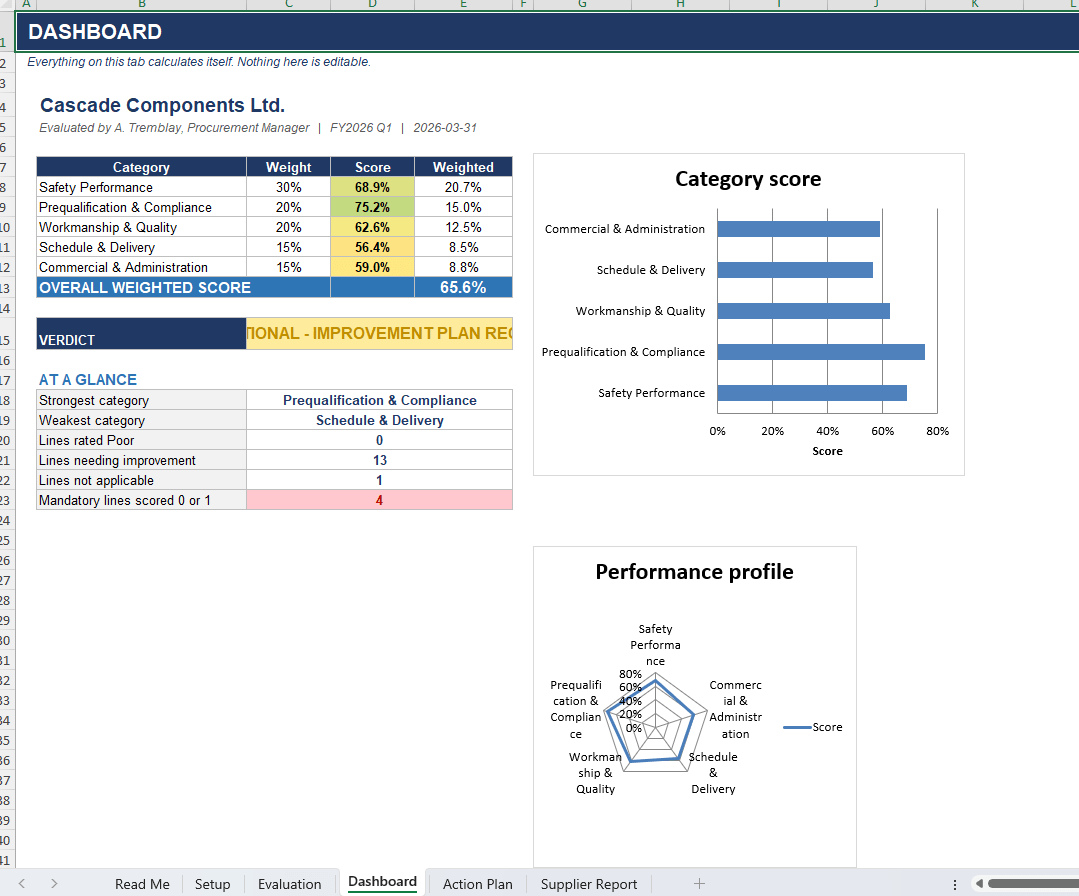
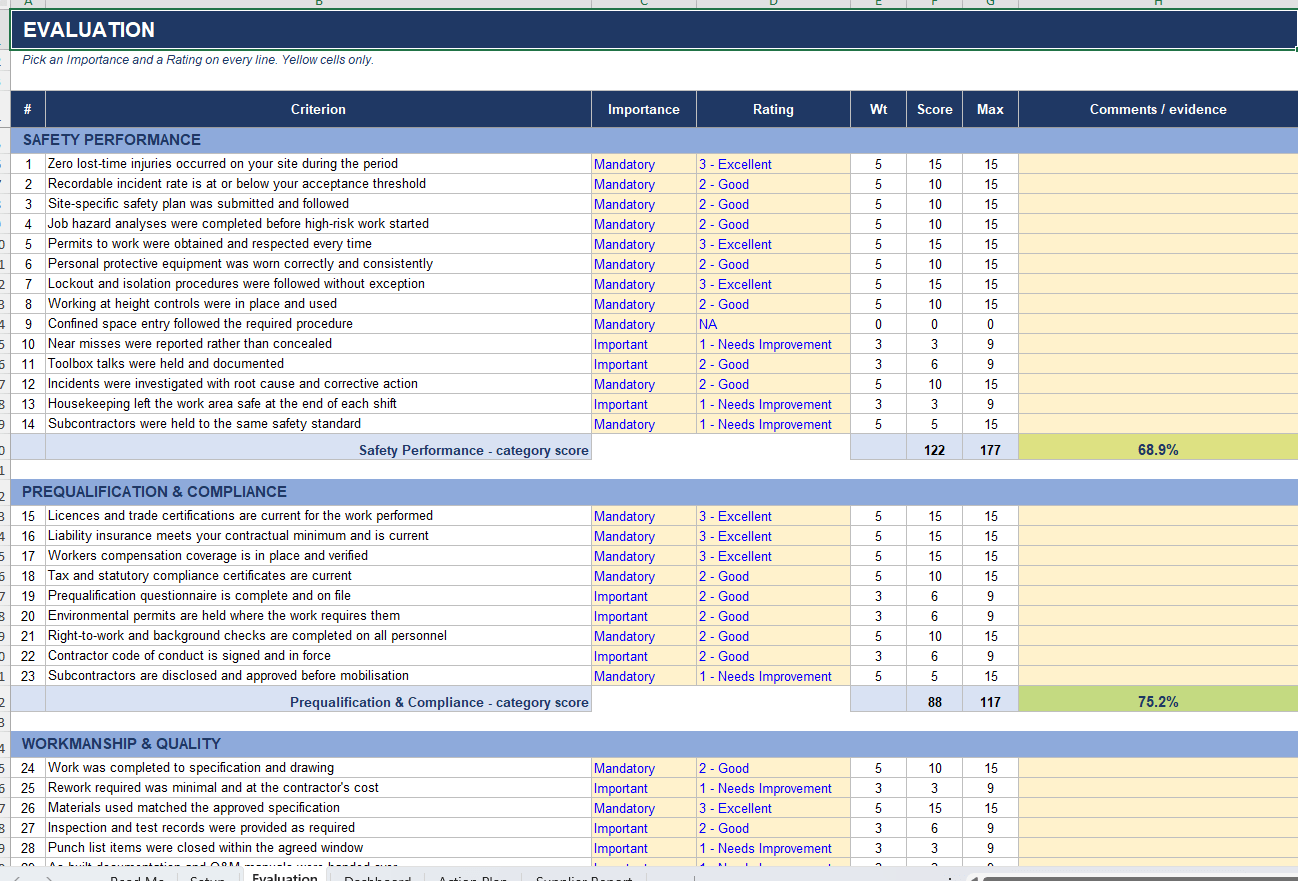
Every criterion carries two dropdowns. Importance sets the weight — Mandatory, Important or Nice to Have. Rating sets the value from 0 to 3, or NA if the line does not apply.
Line score is weight times rating. Category score is the sum of line scores over the sum of line maximums, so a category with forty questions does not automatically outrank one with eight. Overall score applies your own category weights from the Setup tab, which means quality can genuinely outrank cost if that is your policy.
Rate a line NA and it drops out of both the score and the maximum. It never penalises the supplier for something that was never relevant. That one detail is what lets you run the same performance scorecard on a machining supplier and a logistics provider without the result being meaningless.
Four decision bands turn the number into a verdict: preferred supplier, approved supplier, conditional with an improvement plan, or not approved. The thresholds are yours to set.
A dashboard in every workbook
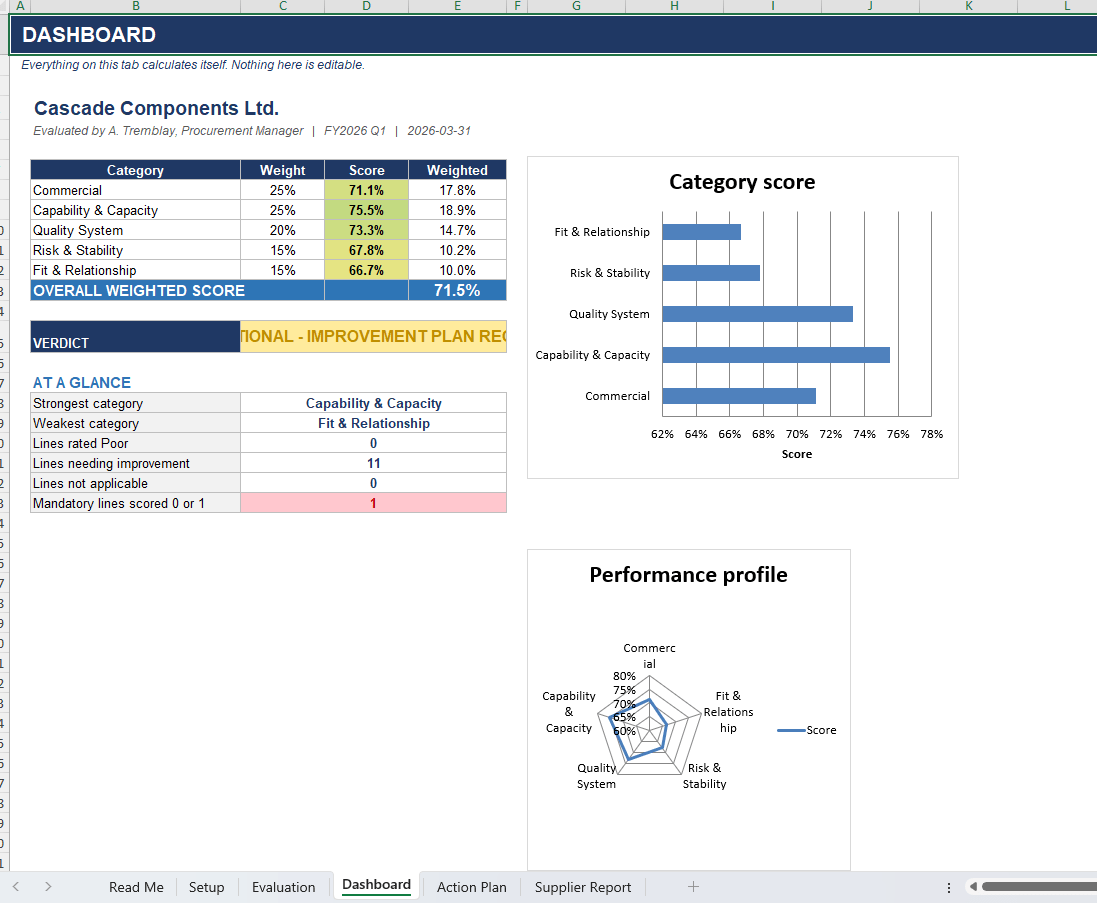
Each file has a dashboard tab that calculates itself. Weighted overall score, colour-coded band verdict, and a KPI strip that counts the lines rated poor, the lines needing improvement, and — the one that matters — how many mandatory criteria the supplier failed. A bar chart ranks the categories and a radar chart shows the performance profile at a glance.
Workbook 10 goes further. Enter your suppliers with their annual spend, a business impact rating and a supply risk rating, then paste in the scores from the other workbooks. It builds a Kraljic portfolio map, splits your base into strategic, bottleneck, leverage and routine segments, shows spend concentration by band and by segment, and produces a watch list of the suppliers you depend on most that score the least.
Built for procurement teams, not spreadsheet hobbyists
The criteria are written by category and they are specific. On-time delivery and fill rate. Corrective action response time and whether the action was actually effective. Certificate scope versus what was quoted. Sub-tier single-source exposure. Tooling ownership and recoverability. Breach notification windows and data export on exit. Permit-to-work compliance and subcontractor induction. Recruitment fees in the labour chain.
They are the questions experienced buyers, supplier quality engineers and auditors already ask. Having them written down means the newest person on your team asks them too.
What you get
- 11 Excel workbooks (.xlsx), 66 worksheets in total
- 430 pre-written, weighted evaluation criteria
- 21 charts and 114 conditional formatting rules already configured
- Action plan register in every workbook with owners, priorities, due dates and status
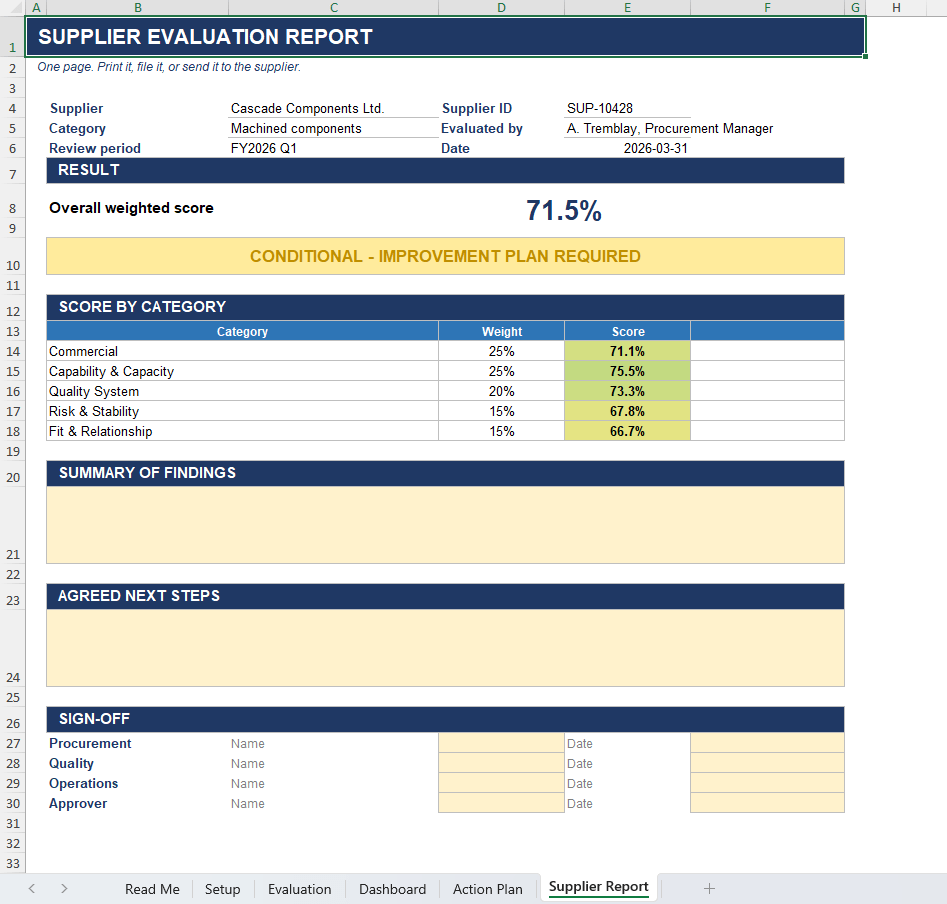
- Print-ready one-page supplier report with a sign-off block
- Realistic sample data loaded so every dashboard works the moment you open it
- Instant download, unlocked and fully editable
Compatibility
Microsoft Excel 2010 and later, Excel for Microsoft 365, Excel for Mac, Google Sheets and LibreOffice Calc. No macros, no add-ins, no external links and no protected cells. Every formula is visible and every criterion can be edited, reworded or deleted.
Licence
Single-business commercial use. Use it on as many suppliers as you like inside your own organisation. Redistribution and resale of the files are not permitted.
FAQ
What is a supplier evaluation scorecard? A structured way to rate a supplier against defined criteria so decisions rest on evidence instead of impressions. Each criterion gets a weight and a rating, and the weighted total gives you a score you can compare across suppliers and across time.
How is this different from a free supplier scorecard template? Free templates give you one generic sheet. This is ten purpose-built workbooks covering selection, performance, risk, quality, ESG, audit, cost, IT and contractors, plus a portfolio roll-up — with 430 criteria already written and dashboards already built.
Do I need Excel? No. The files open in Google Sheets and LibreOffice Calc as well. There are no macros or add-ins to install.
Can I change the criteria? Yes. Nothing is locked. Reword criteria, delete the ones that do not apply to you, or add your own. The scoring adjusts automatically.
Can I use it for service providers as well as manufacturers? Yes. Rate any criterion NA and it drops out of both the score and the maximum, so irrelevant lines never drag a score down. Workbooks 08 and 09 are written specifically for IT vendors and contractors.
How many suppliers can I evaluate? As many as you like. Save a copy of the relevant workbook per supplier, then list them all in workbook 10 for the portfolio view.
Related products
-
Sale!

Kaizen & Continuous Improvement Templates — 10 Excel Workbooks with Dashboards
Original price was: $49.99.$29.99Current price is: $29.99. Add to cart -
Sale!
Value Stream Map Excel Template — Complete VSM Toolkit
Original price was: $39.00.$29.00Current price is: $29.00. Add to cart -
Sale!
DFA/DFM Analysis Template for Excel
Original price was: $29.00.$19.00Current price is: $19.00. Add to cart -
Sale!
FMEA Template for Excel (Failure Mode & Effects Analysis)
Original price was: $19.00.$15.00Current price is: $15.00. Add to cart